


Sharing Wi-Fi over Wi-Fi on Windows: The Complete Guide
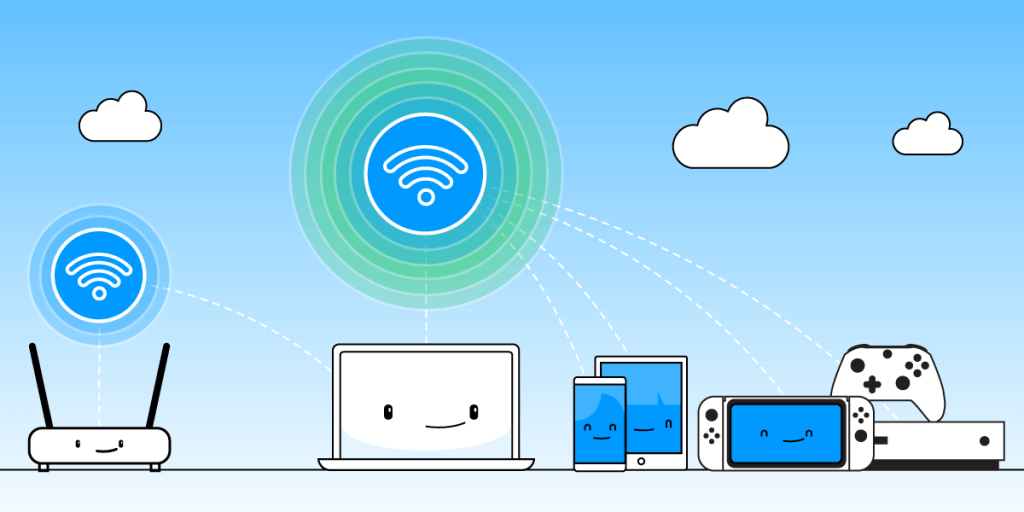
In today’s connected world, knowing how to share Wi-Fi to Wi-Fi is incredibly useful. Whether you’re in a hotel with limited connections, working remotely, or need to extend your network to devices that can’t connect directly, this guide will share exactly how to turn your Windows computer into a Wi-Fi hotspot.
Is It Possible to Share Wi-Fi over Wi-Fi?
The possibility of sharing a Wi-Fi hotspot over Wi-fi comes down to hardware capabilities, operating system limitations and use-case priorities set by device makers.
You can share Wi-Fi over Wi-Fi on Windows as most modern laptops come with Wi-Fi chips that support “Hosted Network” or “Software Enabled Access Point” (Soft AP) mode. This allows the same Wi-Fi card to connect to a Wi-Fi network and act as a hotspot simultaneously, by creating a virtual network adapter. Windows includes support for virtual network interfaces and laptops can afford to use more power and there’s room for cooling.
In contrast, mobile devices like smartphones running Android or iOS have one physical Wi-Fi chip. Unlike in Windows, it is not configured to support Soft AP and client mode at the same time. Also, Android and iOS intentionally limit simultaneous use of Wi-Fi for both connection and hotspot for security, battery and performance reasons.
Why Share Wi-Fi to Wi-Fi?
Sharing your Wi-Fi connection through your Windows PC / laptop effectively creates a second Wi-Fi network that other devices can connect to. This is particularly helpful when:
- Your primary Wi-Fi has limited device connections
- You need to connect devices to the Internet through a captive portal
- You want to create a separate Wi-Fi network for guests
- Some devices are out of range of your main Wi-Fi connection and you need to extend the range of that Wi-Fi hotspot.
5 Steps to Share Wi-Fi Internet over Wi-Fi on Windows
While Windows’ built-in mobile hotspot solution works well, Connectify Hotspot offers more features and flexibility when you need to share Wi-Fi to Wi-Fi:
- Get Connectify Hotspot on your Windows PC or laptop. Install and run the app.
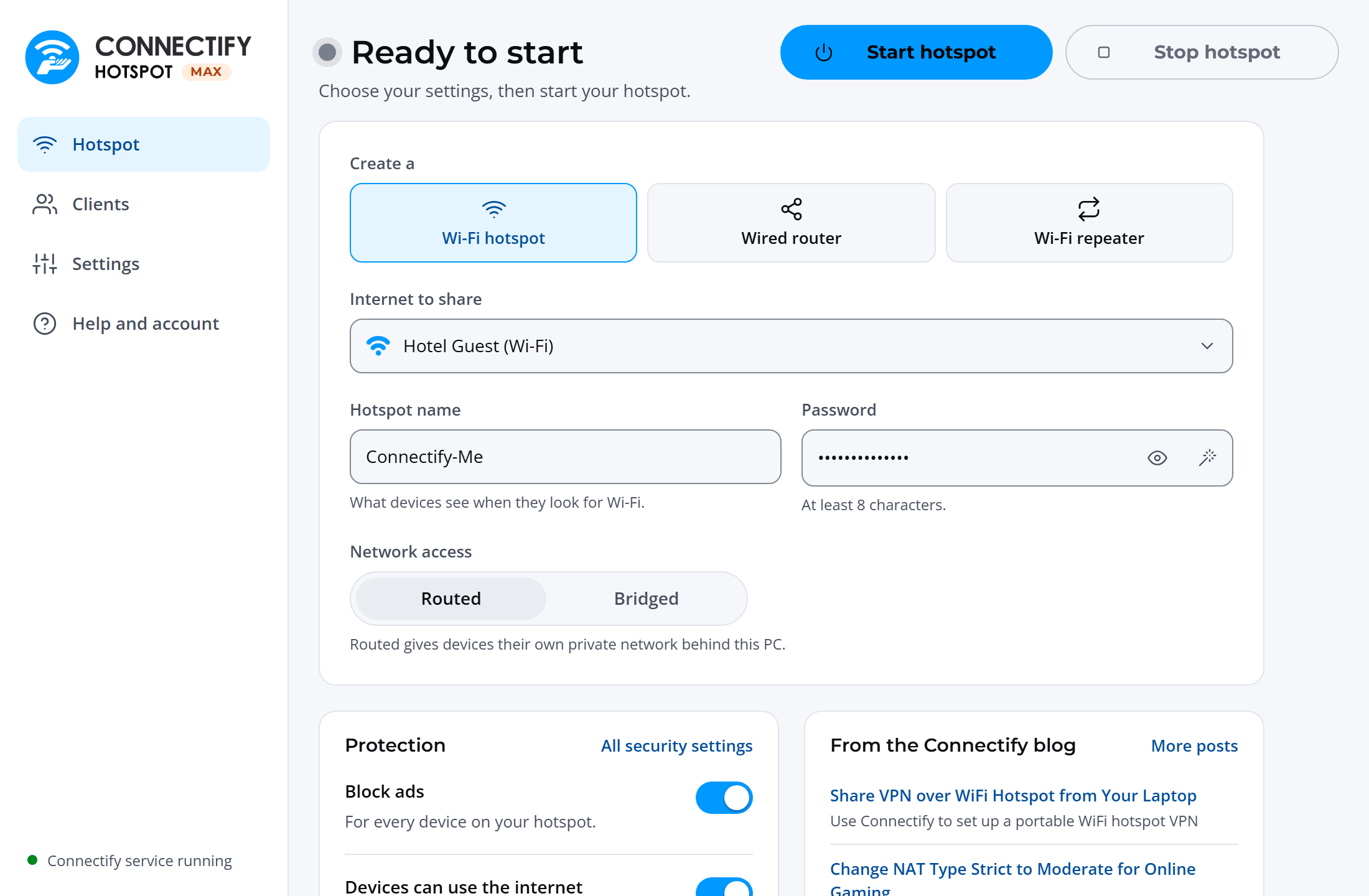
- From the main screen, choose to create a Wi-Fi Hotspot.
- Select the Wi-Fi connection you want to share from the “Internet to Share” drop-down.
- Enter a hotspot name (SSID) and password. Add emojis and special characters to your hotspot name to make it more personal!
- Press the ‘Start Hotspot’ button to share Wi-Fi over Wi-Fi.
Make sure you have the ad blocker option selected, to save bandwidth, money and battery life.

Advanced Tips for Wi-Fi to Wi-Fi Sharing
The performance of your shared connection depends on your original Wi-Fi strength, your computer’s capabilities, and the number of connected devices.
If you’re having trouble sharing your Wi-Fi connection and to optimize your shared Wi-Fi connection, consider the following:
- Make sure you have updated Wi-Fi adapter drivers through Windows’ Device Manager.
- Ensure your source Wi-Fi connection is stable. Position your computer centrally for better coverage.
- Use the 5GHz band when possible for faster speeds.
- Consider using Connectify Hotspot’s Bridging Mode to minimize speed loss.
Setup · about two minutes
Get Connectify Hotspot running on your Windows PC
Three steps, no command prompt, no netsh commands to remember.
-
Install and open Connectify Hotspot
Run the installer and let the install finish. Connectify Hotspot opens on its own.
-
Pick what you are sharing
Choose the connection your Windows PC is already using, then set a hotspot name and password.
-
Start Hotspot
Your phone, tablet or console now sees the network name you just typed. Connect to that network like any other Wi-Fi.
Available for Windows 10 and 11
Why Connectify Hotspot Is the Best Way to Share Wi-Fi over Wi-Fi
Along the main functionality of sharing any type of Internet connection via Wi-Fi or Ethernet, Connectify Hotspot comes packed with other cool features:
- Boost Your Range Instantly with Wi-Fi Repeater Mode: Easily extend the range of your existing Wi-Fi network!
- Save Money While Traveling: Stuck at a hotel that charges for Internet per-device? With Connectify Hotspot, join the Wi-Fi, start a hotspot, and get all of your devices online for the price of one. You can also save precious time when traveling with your Chromecast setup procedure – Connectify Hotspot gets it all done within seconds!
- Save Time, Internet Bandwidth and Battery Life for your devices by turning your Windows laptop or PC into a whole house ad blocker. The ad blocking is universal – also works with in-app ads and is a viable solution to block iPhone app ads.
- Connectify Hotspot is also fully compatible with all gaming consoles: PlayStation, Xbox, Nintendo, etc. It solves all issues related to connecting to the Internet or the home network via its unique Gaming Mode feature.
Looking for a flexible, feature-rich and simple software app to share any Internet connection with all your devices? Get started with Connectify Hotspot today for FREE – no strings attached, no setup hassles!
Free, PRO or MAX
Which version of Connectify Hotspot you need
Hotspot Lite, the free edition of Connectify Hotspot, covers the setup in this guide. It runs in timed sessions: when one ends, start it again with one click.
Recommended: MAX adds Wi-Fi repeater mode and Bridged mode, for extending your Wi-Fi or putting consoles and casting devices on your home network.
For 64-bit Windows 10 and 11