
Connectify Hotspot 27 is here
Our biggest update in years. A new interface built around your devices, native 64-bit speed, and NAT checked against the internet’s standards, so games and voice chat work the way they should.
MAX Launch offer: 70% off Hotspot PRO and MAX.
A new interface built around your devices
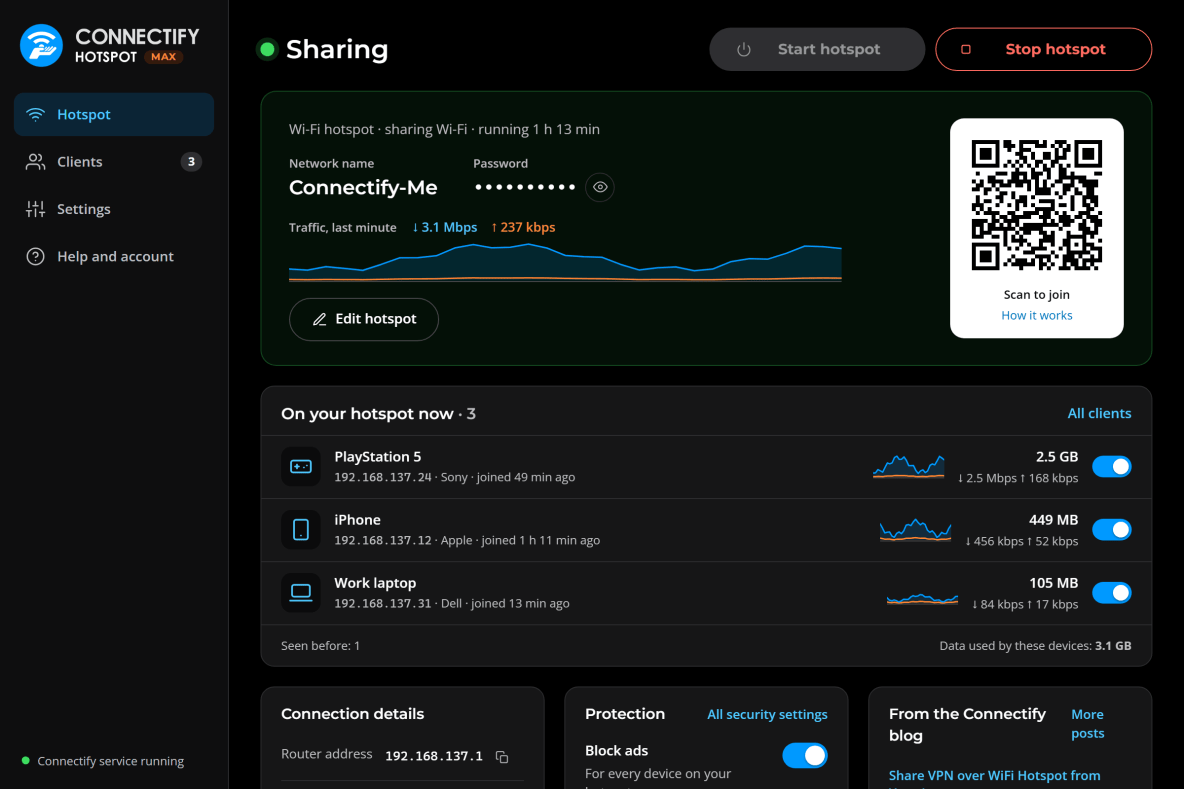
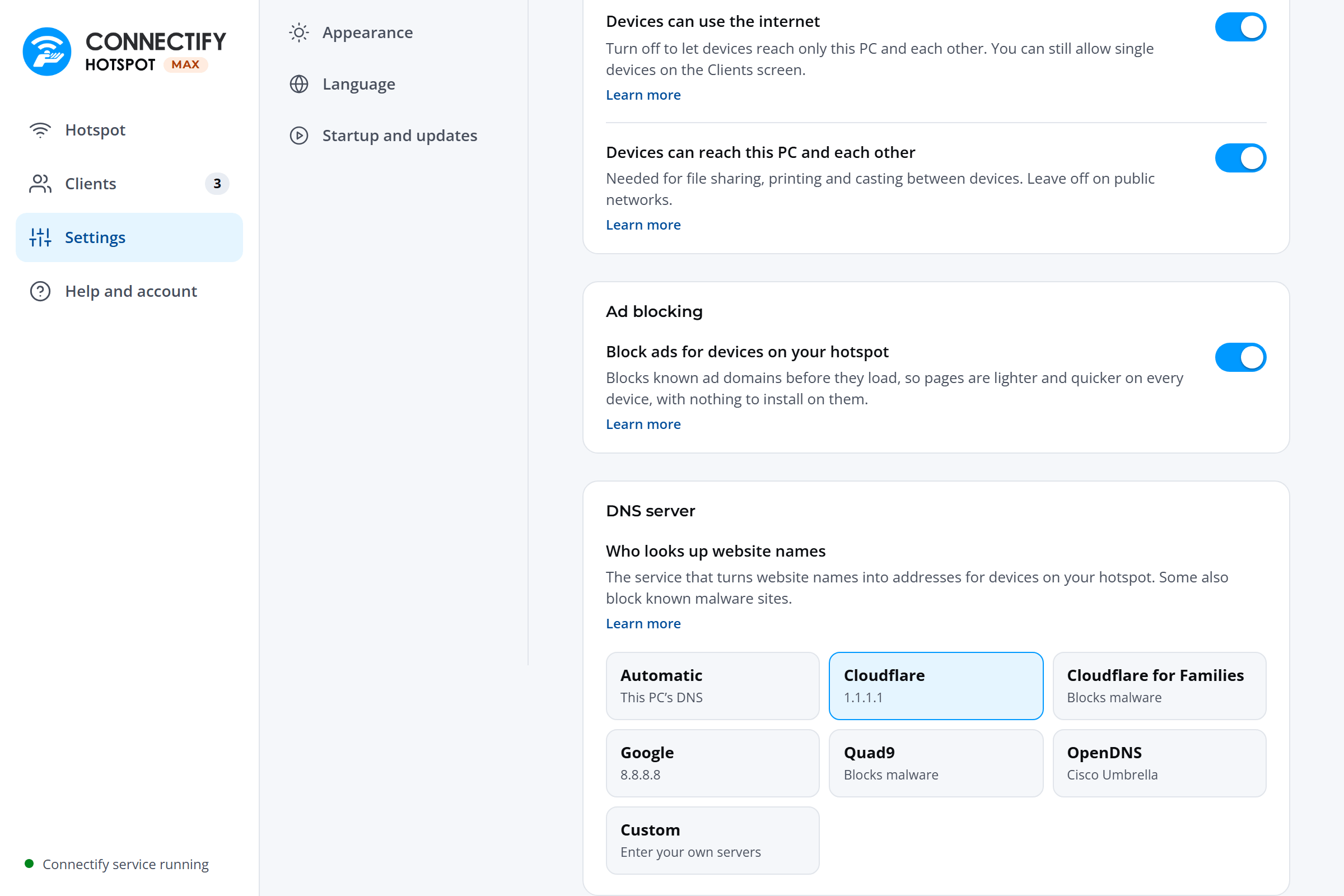
Hotspot 27 opens on what you want to know: whether your hotspot is running, how to get a device on it, and what’s already connected. Start and Stop stay in the same place, whatever the hotspot is doing.
- Join by QR code. Phones join by scanning the code on the Hotspot screen. Accented names like Café Wi-Fi now work on iPhone too.
- Live traffic graphs for the whole hotspot and for each device, so you can watch a speed test run in real time.
- Real device names. iPhones using a private Wi-Fi address show their real name, not something like
Host12a12ad954dd. - Made for everyone. Light and dark themes, keyboard and screen reader support, and ten languages, including right-to-left Arabic.

Native 64-bit, and faster where it counts
Every part of Hotspot now runs as a 64-bit program. The old 32-bit build made Windows copy each packet one extra time on its way to the network driver. That copy is gone, and Hotspot now hands packets to the driver in batches instead of one at a time.
The biggest gains show up when you share a wired connection: 17% more upload throughput on a gigabit uplink. On Wi-Fi, the radio is usually the limit.

Games and voice chat that just work
We checked Hotspot’s packet handling against about a hundred requirements from the standards for IP, TCP, UDP, ICMP, DHCP and DNS, and fixed everything that didn’t measure up.
- RFC 4787
- RFC 5382
- RFC 5508
- RFC 7857
- RFC 6056
- RFC 1812
- RFC 792
- RFC 2131
The NAT behavior games expect
Endpoint-independent mapping, random port allocation, and working hairpinning: the behavior games and voice chat expect. Hotspot also tracks four times as many connections at once, so a busy hotspot keeps up with lots of devices and apps. And UPnP port forwards now deliver traffic on any port outside Windows’ own range.
A rebuilt Gaming Mode
Gaming Mode reserves the ports PlayStation and Xbox need, such as 3074, 3478 and 5223, so Windows can’t hand them to something else. Phones on your hotspot keep getting their push notifications while a console is connected, and two consoles on one network no longer trade the same ports back and forth.
Stealth Mode, always on
Hotspot now gives away less about the devices behind it, such as how many there are and what kind. Beyond TTL, it normalizes IP IDs, removes TCP timestamps, and keeps source ports in one range.
Stealth Mode isn’t a VPN: the networks you connect through can still see which sites your devices visit. For full privacy, pair Hotspot with a VPN such as Speedify.
Smarter, more dependable DNS
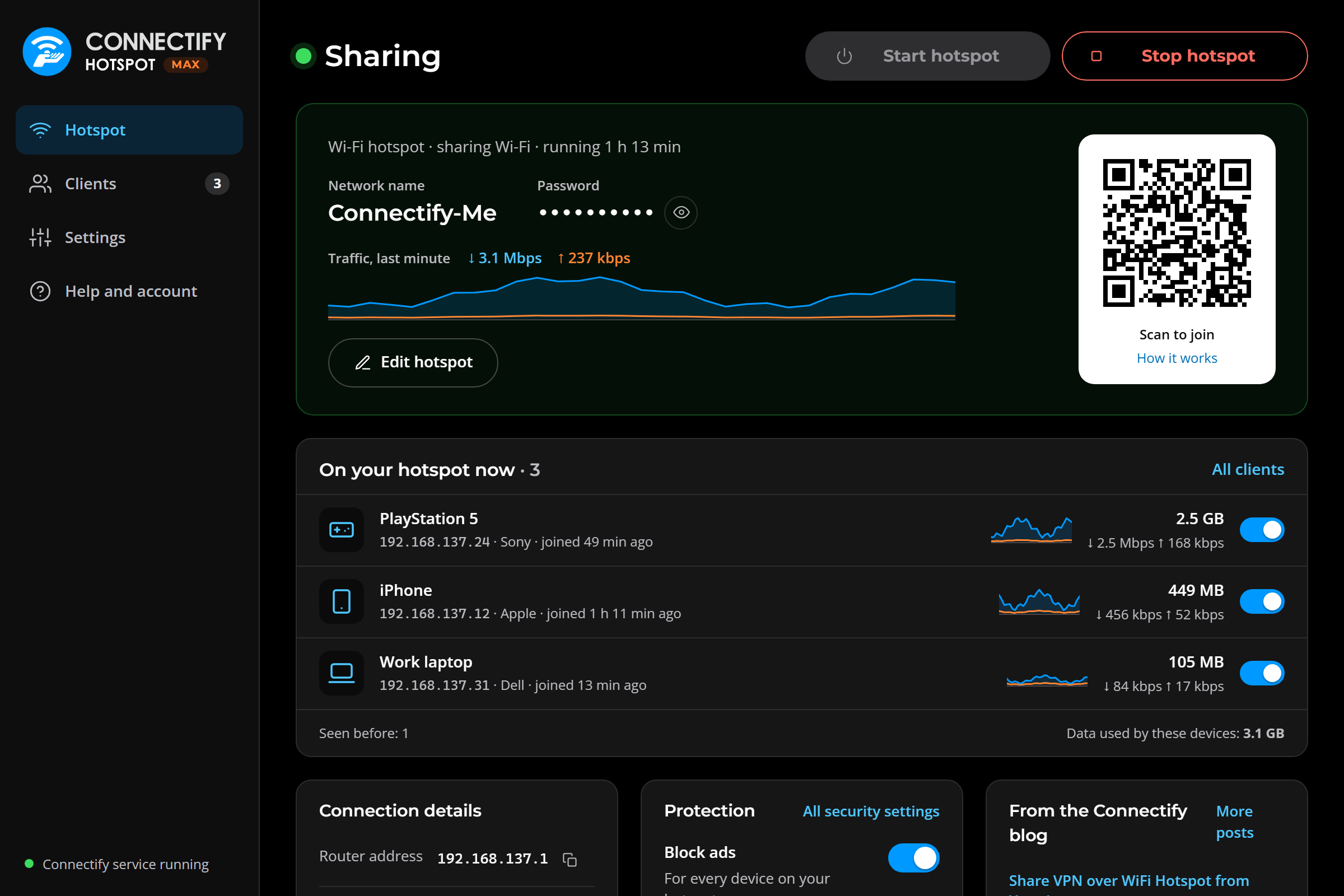
- Choose your DNS server: Cloudflare, Google, Quad9, OpenDNS, a family-safe option, or your own. If yours doesn’t answer, Hotspot tells you what it’s using instead.
- Lookups go where they should, over the connection you’re sharing, including DNS over TCP.
- Settings stick. Changes made while the DHCP and DNS server restarts aren’t lost, and if it stops, it’s back within seconds.
- Tell devices to save data. Sharing a cellular connection? iPhones switch to Low Data Mode and Android phones treat your hotspot as metered.
Share Speedify at full speed
Speedify combines Wi-Fi, cellular and more into one faster connection that keeps going when one drops. Hotspot 27 shares that combined connection, so your console, tablet and laptop get its speed and failover without installing anything.
Security hardened
Every part of Hotspot that reads network traffic has its own automated test suite, with fuzzers feeding it malformed and hostile packets. Outdated third-party code is gone, and the libraries it uses are current.
Wi-Fi Direct by default
Hotspot now uses Wi-Fi Direct on adapters that support it, and restarts it automatically if Windows stops it during Modern Standby.
And a lot more
- If the connection you’re sharing goes away, it stays selected and is marked unavailable, instead of quietly switching to “No Internet to Share.”
- When Hotspot can’t start, it tells you why, such as the background service restarting or a setup step waiting.
- Settings link straight to the matching support articles.
- The sign-in window follows your light or dark theme.
connectify_clirejects unknown options and returns a non-zero exit code on failure, so scripts can tell when something went wrong.- Upgrading takes you to the store in your own browser.
- Leftover Gaming Mode port reservations from earlier versions are cleaned up on install.
- ICMP errors used by traceroute and path MTU discovery are translated correctly in both directions.
System requirements
- Windows 10 (version 1703 or later) or Windows 11, 64-bit. 32-bit Windows and Windows on ARM aren’t supported.
- Microsoft Edge WebView2 Runtime, included in Windows 11 and added by the installer on Windows 10 if needed.
- For a Wi-Fi hotspot, a Wi-Fi adapter that supports Wi-Fi Direct or Hosted Network.

Get everything in Hotspot 27 with MAX
Keep your hotspot on all day, share 4G and 5G modems, extend your Wi-Fi into every room, and connect devices directly to your home network. 70% off for the launch, with a 30-day money-back guarantee.
Update to Hotspot 27
It installs right over your current version.