

Chromecast Hotel WiFi: How to Use a Chromecast in a Hotel Room
A Chromecast can’t connect to hotel WiFi that has a login page: Google’s own help says its streaming devices don’t support networks that need one. The way to use a Chromecast in a hotel room is to sign in on your Windows laptop, then share the laptop’s connection so the Chromecast joins it like any home Wi-Fi network.
This guide covers Chromecast with Google TV, Google TV Streamer and older Chromecasts, why casting from your phone fails on hotel networks, and how Connectify Hotspot, a Windows app that shares your PC’s internet connection with your other devices over Wi-Fi, gets the Chromecast online. Download Connectify Hotspot free.
You’re not the only one who has packed a Chromecast and then watched it fail at the hotel: Google lists hotel, school and dorm networks in its own troubleshooting steps.
Travel Wi-Fi
One hotel login, all your devices, through Connectify Hotspot
Hotel Wi-Fi usually asks for a room number and a surname on a browser page before a device can get online. Connectify Hotspot lets one Windows laptop do that sign-in and share the connection with the other devices you travelled with.
-
The sign-in page
Hotel networks hold new devices at a browser login page until someone fills in the form.
-
Devices that struggle with it
A Kindle or a smart speaker has no browser for the login page. Consoles, streaming sticks and handhelds often fail to load it, or lose the connection when the hotel login times out.
-
One gateway instead
Your Windows laptop signs in once and becomes the gateway for your other devices. They join the laptop's hotspot, so the login page only has to work on the laptop.
Hotspot Lite, the free edition, runs in 60-minute sessions, so on a long stay you start it again now and then. PRO removes the time limit. If your devices stop getting online, the hotel login has timed out: sign in again on the laptop. If the hotel charges per device, check its terms before you share the connection.
For 64-bit Windows 10 and 11
Why a Chromecast Won’t Connect to Hotel WiFi
Hotel networks hold every new device at a sign-in page, called a captive portal, where you type a room number and surname or accept the terms. Three things get in the Chromecast’s way.
- No way through the login page. Google’s help for Chromecast and Google TV Streamer says its streaming devices don’t support networks that require a captive portal, and tells you to use a different network on hotel, school, dorm or business Wi-Fi. Some owners of Chromecast with Google TV report getting through a hotel login page with the remote, but Google doesn’t support it, so don’t count on it.
- One saved network on older models. Google says the Chromecast (3rd generation and older), Chromecast Ultra and Chromecast Audio remember only one Wi-Fi network, so each new network means setting them up again.
- Password-only networks are shared with strangers. If the hotel’s Wi-Fi only asks for a password, the Chromecast can join it, but anyone else on that network may be able to cast to your device and control it.
Why Casting from Your Phone Fails on Hotel Networks
Casting only works when your phone and the Chromecast are on the same network and can see each other. Hotel Wi-Fi can block that with client isolation (Google also calls it AP isolation or guest mode): each device reaches the internet, but devices on the network can’t reach each other. With client isolation on, Google says you can’t set up the streaming device, and your phone won’t find it to cast even when both are online.
A Connectify hotspot gives you a small network of your own. Join your phone and the Chromecast to the laptop’s hotspot, and the two are on one network again, away from the hotel’s isolation.
If your room TV has casting built in, the hotel runs that system: follow the instructions on the TV screen. This guide is for a Chromecast you bring yourself.
How to Use a Chromecast in a Hotel Room in 5 Steps
First connect your laptop to the hotel Wi-Fi and sign in through the login page in your browser. Then:
- Download and install Connectify Hotspot on your 64-bit Windows 10 or 11 PC.
- Open it and choose Wi-Fi hotspot.
- Under Internet to share, pick the hotel Wi-Fi.
- Set a password. Turn on Block ads if you want lighter pages on every device. Lite runs in 60-minute sessions; PRO removes the limit.
- Click Start hotspot. Devices join by scanning the QR code on the Hotspot screen, or with the network name and password, like any other Wi-Fi network.
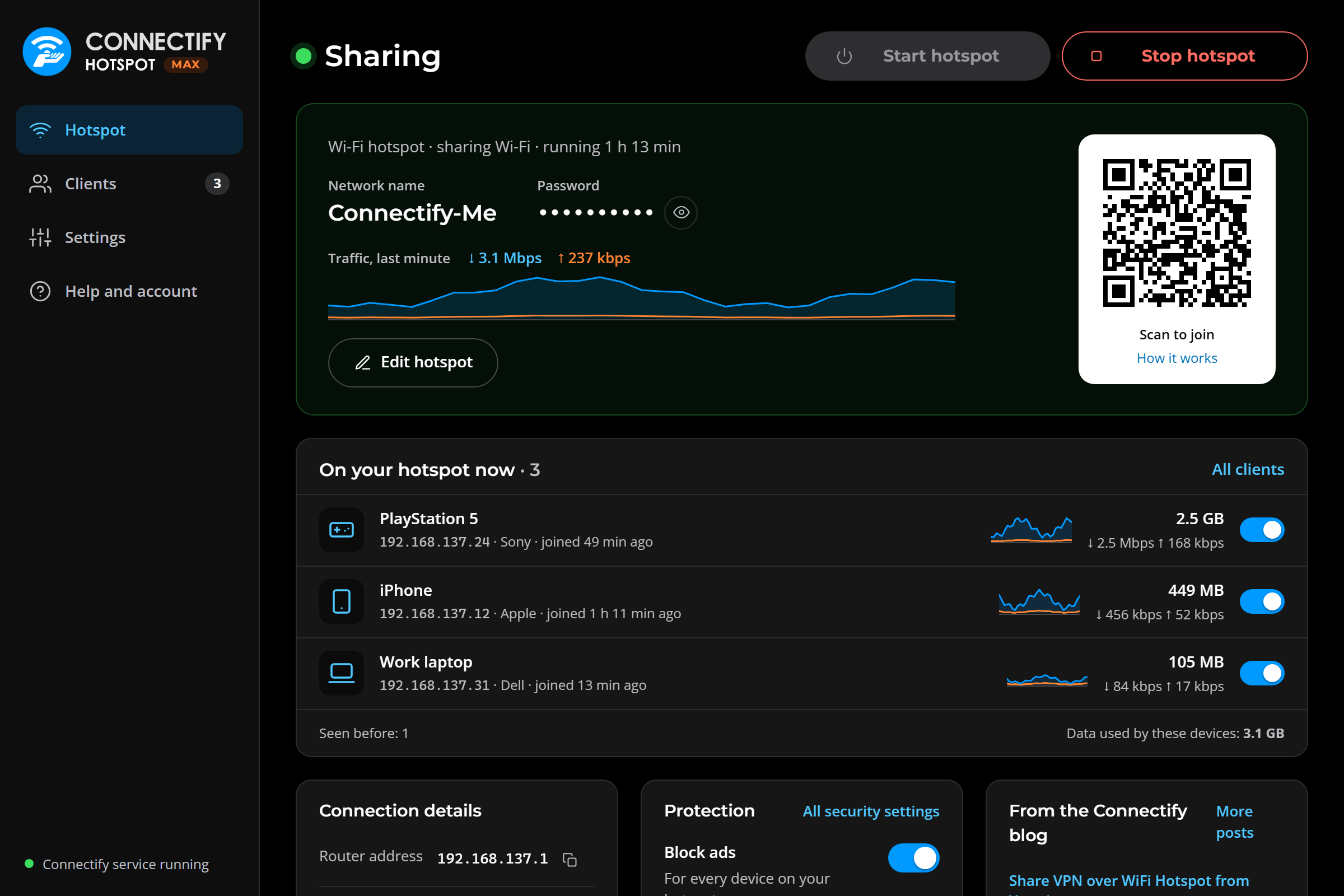
Join your phone to the hotspot by scanning the QR code, then move the Chromecast to the hotspot as described below. Cast from the phone as you would at home.
Connectify Hotspot 27 runs on 64-bit Windows 10 (version 1703 or later) and Windows 11. On a Windows 7 or 8 PC, use Connectify Hotspot 2021 instead: see our Windows 7 and Windows 8 guides.
Windows 10 and 11 also have a built-in Mobile hotspot that can share the hotel connection once you have signed in. For what each one does, see the comparison of Connectify Hotspot and the Windows hotspot.
Change the Chromecast WiFi Network to Your Laptop’s Hotspot
Next, move the Chromecast from your home Wi-Fi to the laptop’s hotspot. The move is easiest at home before the trip, while the Chromecast is still online; run the hotspot on your laptop at home to do it. The steps depend on the model.
Chromecast with Google TV and Google TV Streamer
These models change Wi-Fi on the TV itself, with the remote.
- Open Settings from the top right corner of the Google TV home screen.
- Go to the Wi-Fi or Network & Internet section and pick the hotspot’s network name.
- Enter the hotspot password.
Chromecast (3rd generation or older), Chromecast Ultra and Chromecast Audio
These models change Wi-Fi from the Google Home app on your phone, signed in to the same Google Account as the Chromecast.
- While the Chromecast is still on your home Wi-Fi, open the Google Home app, tap Home, then All devices, and touch and hold the Chromecast’s tile.
- Tap Settings > Device information > Wi-Fi > Forget this network.
- Join your phone to the laptop’s hotspot, then set up the Chromecast again in the Google Home app and choose the hotspot as its Wi-Fi network.
If the Chromecast can’t get online at all, for example because its old network is at home, Google’s last resort is a factory reset followed by setup on the new network.
A note on the first Chromecast. The 1st generation Chromecast only works on 2.4 GHz Wi-Fi, and Google has ended support for it. Connectify Hotspot has no band setting: the hotspot uses the same band as the laptop’s own Wi-Fi connection. If the hotel has separate 2.4 GHz and 5 GHz networks, connect the laptop to the 2.4 GHz one.
More setup problems are covered in Chromecast won’t connect to WiFi.
Tips So Your Chromecast Reconnects at Every Hotel
- Set it up at home before you travel. Once the Chromecast is on your laptop’s hotspot, at each hotel, sign in on the laptop and start the hotspot, and the Chromecast reconnects by itself. An older Chromecast forgets your home Wi-Fi when it moves to the hotspot, so either run the hotspot at home too or switch the Chromecast back when you get home.
- Keep the same hotspot name and password. The Chromecast recognizes your laptop by them. If either changes, set the Chromecast up again.
- Cast and change settings from your phone. Use a phone or tablet joined to the hotspot, not the laptop that runs the hotspot.
- Keep the laptop awake. On laptops with Modern Standby, a sleep mode that keeps the laptop connected with the screen off, Windows stops the hotspot about 10 minutes after the screen turns off. Plug the laptop in and set a longer screen timeout while you watch.
- Check the hotel’s terms. Where the hotel charges per room or per stay, sharing your sign-in with your own devices is fine. Where it charges per device or limits devices, check its terms first.
For other devices that stall at the same login page, see can’t connect to hotel WiFi and the Fire Stick on hotel WiFi guide. To understand what your phone does when it casts, read the difference between Google Cast and Chromecast.
Set the Chromecast up on your laptop’s hotspot before your next trip. Download Connectify Hotspot free.
Available for Windows 10 and 11